October 14, 2026
How to Listen to PDFs Offline on iPhone and iPad
Prepare downloaded voices and local documents for offline PDF listening on iPhone and iPad. Learn which Read PDF Aloud features still need internet.
Offline PDF listening is useful when travelling, commuting or working somewhere with a weak connection. Read PDF Aloud can read documents with downloaded voices, but preparation matters: the voice and the reading item must already be available on your device.
Download the voice before you disconnect
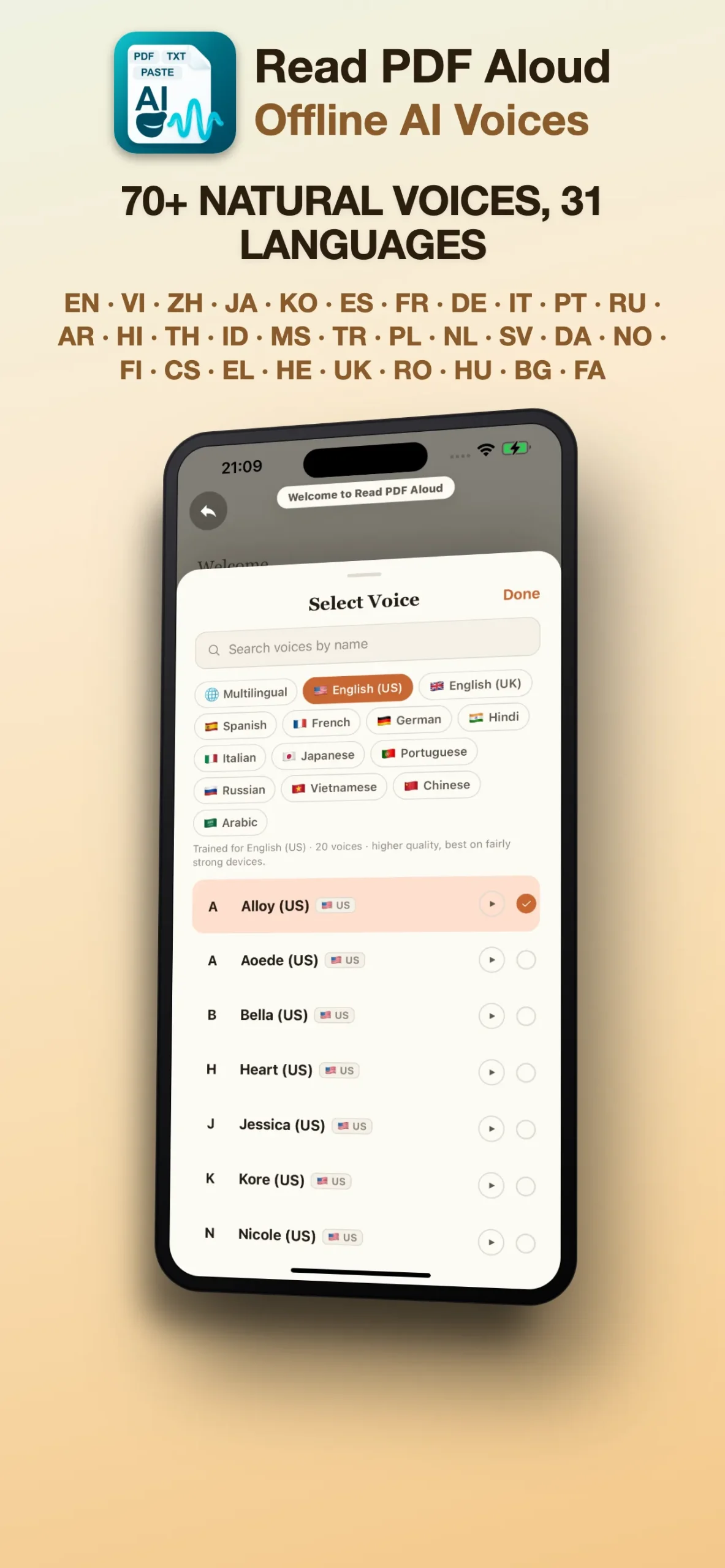
Open the voice selection screen while connected to the internet. Choose a voice for the language of your document and finish any required download. A voice listed in the app is not necessarily ready for offline use until its download has completed.
Import your document while online
Bring the PDF into your app library before you leave. A file stored in a cloud service may need a connection to download, so do not rely on its name appearing in a file picker. Open the imported document and play a short passage to confirm that it contains readable text.
Run a short offline check
- Finish the voice download and document import.
- Disconnect from the network or use airplane mode.
- Open the reading item in the app and start a short passage.
- Check the audio output and playback speed before your longer session.
If you use wireless headphones in airplane mode, check that Bluetooth is enabled and the headphones are still connected. This separates an audio-output issue from a missing-document or missing-voice issue.
Which features require internet?
Reading and listening with downloaded voices and local reading items can work offline. Downloading more voices, fetching files from online storage and using other online services also require a connection. Offline playback does not mean every feature in the app works without internet.
What if a PDF does not read correctly?
Try a short pasted text item using the same voice. If that plays, check whether your PDF has readable text or is a scan. Scanned pages require recognition, and complex layouts can change the extracted reading order. See how to prepare scanned PDFs and photos for practical checks.
Make offline reading part of your routine
Before a trip, open the reading items you intend to use and test the voice you prefer. For your first session, follow the iPhone and iPad PDF listening guide. You can download Read PDF Aloud on the App Store or visit support if playback still fails.