November 7, 2026
PDF Audio Reader: How to Choose an App for Your Documents
Looking for a PDF audio reader or voice reader? Compare reading workflows, offline needs, voices and trial limits before choosing an app for your PDFs.
A PDF audio reader is an app that turns the text in your PDF into speech. You may also see it called a PDF voice reader or a PDF text-to-speech reader. The useful question is whether it handles your documents in the way you want to listen.
Before choosing an app, try one real file: a chapter, a report or a handout you actually need. Test the page layout, voice, reading position and offline behavior together. A voice sample alone cannot tell you whether a two-column paper will read in the right order.
Start with your listening routine
Decide where you will use the reader. A few paragraphs at your desk, an hour-long commute and a study session with the page visible call for different controls.
| Your routine | What to test |
|---|---|
| Occasional desktop reading | Opening the file and starting speech quickly |
| Books and long documents | Saved reading progress and returning to a passage |
| Reading while listening | Sentence highlighting and readable source pages |
| Travel or unreliable Wi-Fi | Local documents, downloaded voices and an offline test |
| Scanned course material | Text recognition and the resulting reading order |
New to PDF text to speech? Start with the practical guide.
What Read PDF Aloud offers on iPhone and iPad
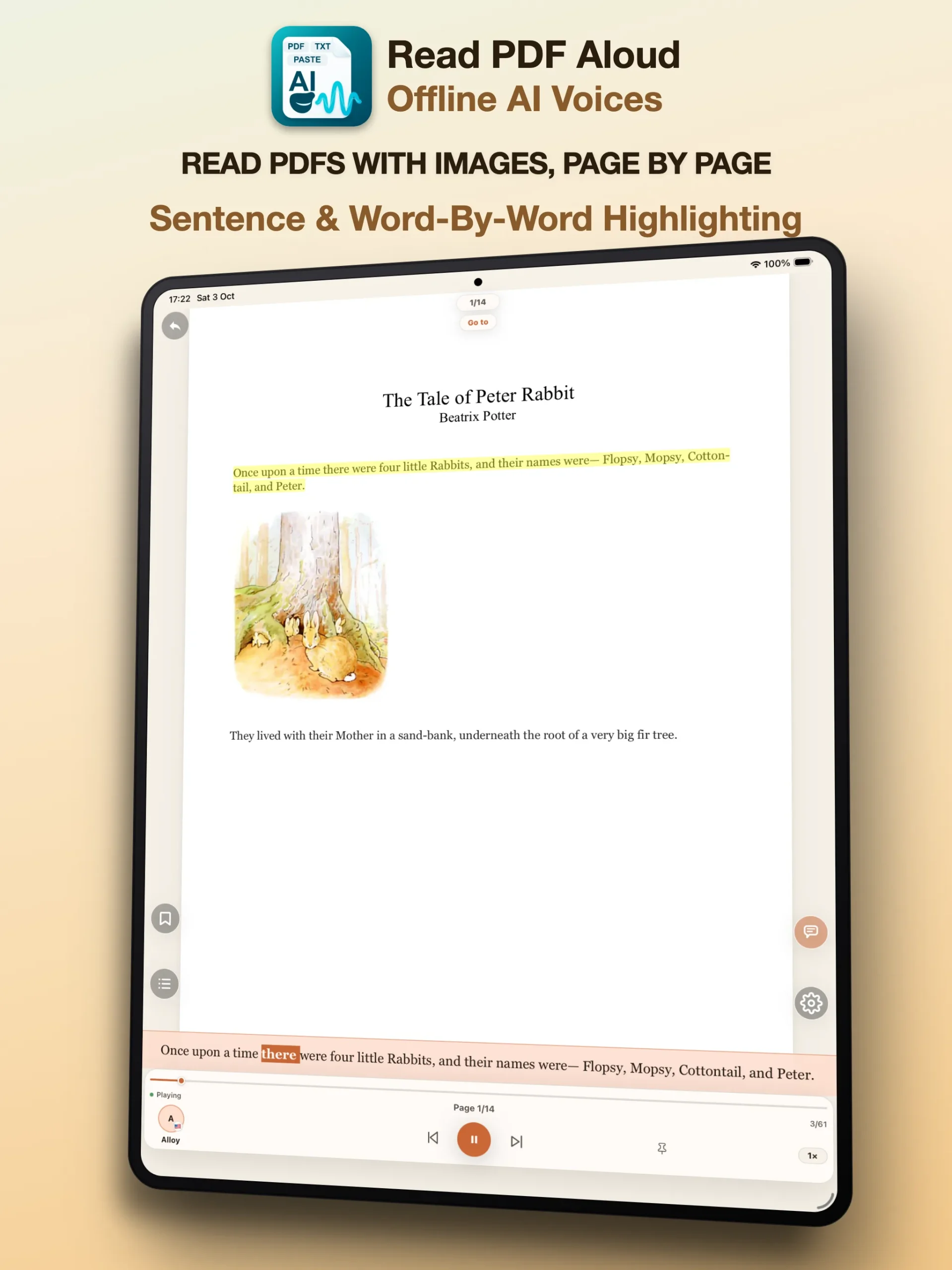
Read PDF Aloud combines an imported-document library with on-device speech, sentence highlighting on PDF pages, playback-speed controls and saved reading progress. Background and lock-screen playback let you listen without keeping the page visible.
It also accepts EPUB and DOCX files, pasted text and notes. For a PDF, import the original file so you can compare the spoken passage with its page rather than copying every chapter into a note.
Try Read PDF Aloud on iPhone or iPad
See the import and playback steps
Compare voices using the same passage
Choose a paragraph in the document’s language and listen to it with two voices. Keep the passage and speed the same so you can judge pronunciation and how easy the sentences are to follow.
Include a few names or numbers if your material uses them. A clear voice for an ordinary novel may still pronounce an unfamiliar abbreviation unexpectedly. Changing the voice does not translate the document.
In Read PDF Aloud, preview clips help you shortlist voices, but your own paragraph is the more useful final check. Complete any required model download before an offline test.
Preview the available reading voices
Separate listening from audio export
An app that reads PDFs to you does not necessarily create an audio file you can move elsewhere. If you need MP3 or M4B export, check for that specific feature before paying.
Read PDF Aloud narrates documents inside the app and remembers reading progress. It does not export MP3 or M4B files. It is designed for listening to your reading items rather than generating a downloadable audiobook.
Run a five-minute test before choosing a plan
Read PDF Aloud includes 15 minutes of free listening per rolling 24-hour period. Longer listening needs a paid plan, and some features differ by plan. Check the app’s current options after testing your own file.
- Import one real PDF and play an ordinary paragraph.
- Try a page with the layout you use most often, including columns or footnotes if relevant.
- Leave the document and reopen it to check how you resume reading.
- Lock the screen and confirm playback through your intended headphones or speaker.
- For offline use, disconnect Wi-Fi and mobile data after preparing the file and voice, then play a different passage.
Follow the offline listening checklist
When a desktop reader is enough
If you only need to hear a document at your computer, start with a desktop option you already use. Try the same PDF before deciding whether a separate mobile library would help. These guides explain the actual controls rather than ranking products by a single feature list.
Use Read Out Loud in Adobe Acrobat Reader